
Roles & Permissions (RBAC)
SpotVibe features an integrated Role-Based Access Control (RBAC) system powered by
Spatie Laravel Permission, allowing administrators to define fine-grained permission
credentials for staff, managers, and customized roles.
1. Managing System Roles
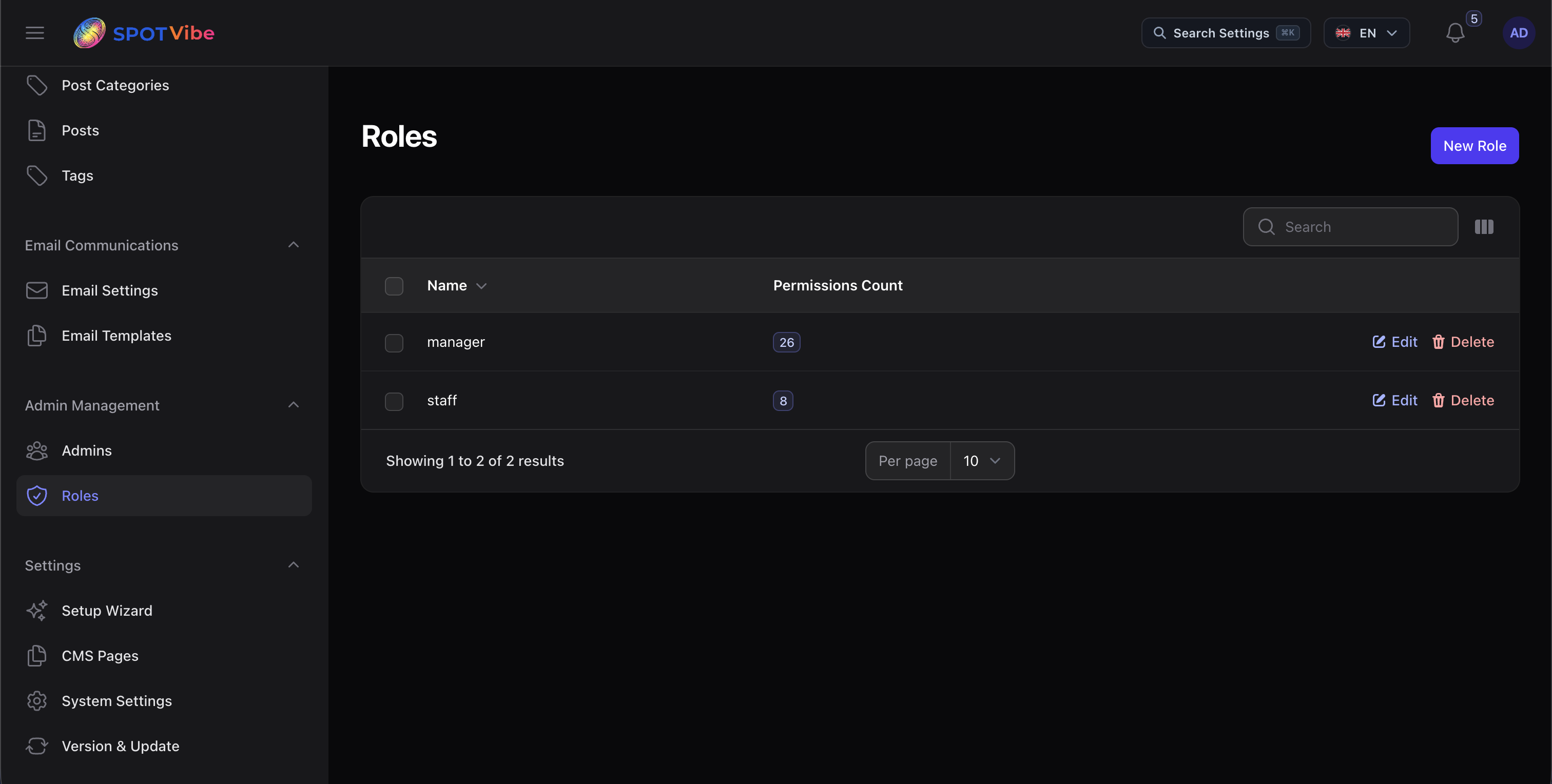
Access the role configuration manager by navigating to Admin Dashboard Admin Management > Roles:
- Role Registration: Add new roles (e.g.
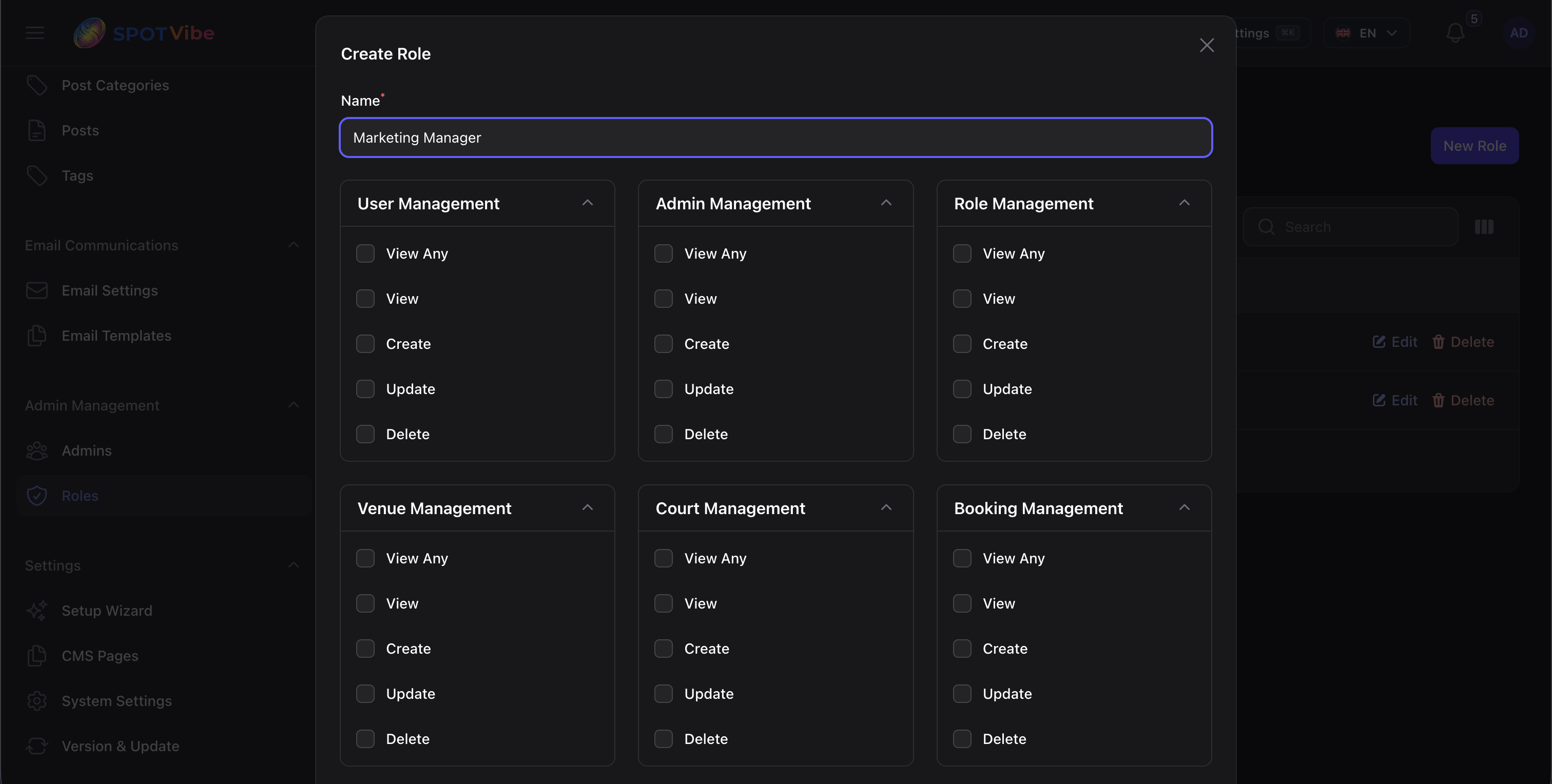
Marketing Manager,Frontdesk Agent) and customize their names. - Dynamic Permissions Matrix: Check or uncheck access rights across 15 core module
tags:
User, Admin, Role, Venue, Court, Booking, Review, Sport Category, Amenity, Post, Post Category, Page, Contact Inquiry, Setting, and Revenue. - Granular Actions: Define access thresholds for each module separately:
- View Any: View the list/index of records in resources.
- View: Read detailed record forms.
- Create: Register new entries.
- Update: Edit existing entries.
- Delete: Remove records.
2. Dynamic Guardrails & Security Protections
The system enforces strict security checks in the database layer and controller models to protect administrative consistency:
- Protected Administrator Role: The default
administratorsuper admin role is protected and hidden from modification list queries. Other roles cannot view, alter, or delete the administrator permissions. - Active Role Protection: You cannot delete a role if it is currently assigned to one or more active users in the system. This prevents database security orphans and login failures.
⚠️ CRITICAL: If a role is linked to active venue
managers or staff profiles, attempt to delete it will return a warning toast and abort the operation.
You must re-assign a different role to those users first before deleting.